Video calls used to be just audio and video moving between browsers. WebRTC still does that job, peer-to-peer or through a media server, but the layer sitting on top of it has changed. Noise suppression, live captions, background blur and meeting transcription now run alongside the call itself, most of it powered by small machine learning models rather than the codec-level tricks WebRTC shipped with a decade ago.
Here's what's actually running under those features, which ones happen in your browser versus on a server, and what that split means if you're choosing a tool.
What WebRTC Still Does on Its Own
WebRTC's job hasn't changed: signaling to find the other side, ICE/STUN/TURN to punch through NATs and firewalls, codecs to encode and decode audio and video, and congestion control to adapt bitrate when the network gets worse. None of that is AI, it's rule-based engineering that predates the current wave of ML features by years. If you want the full picture of how that layer works, we've covered it in
.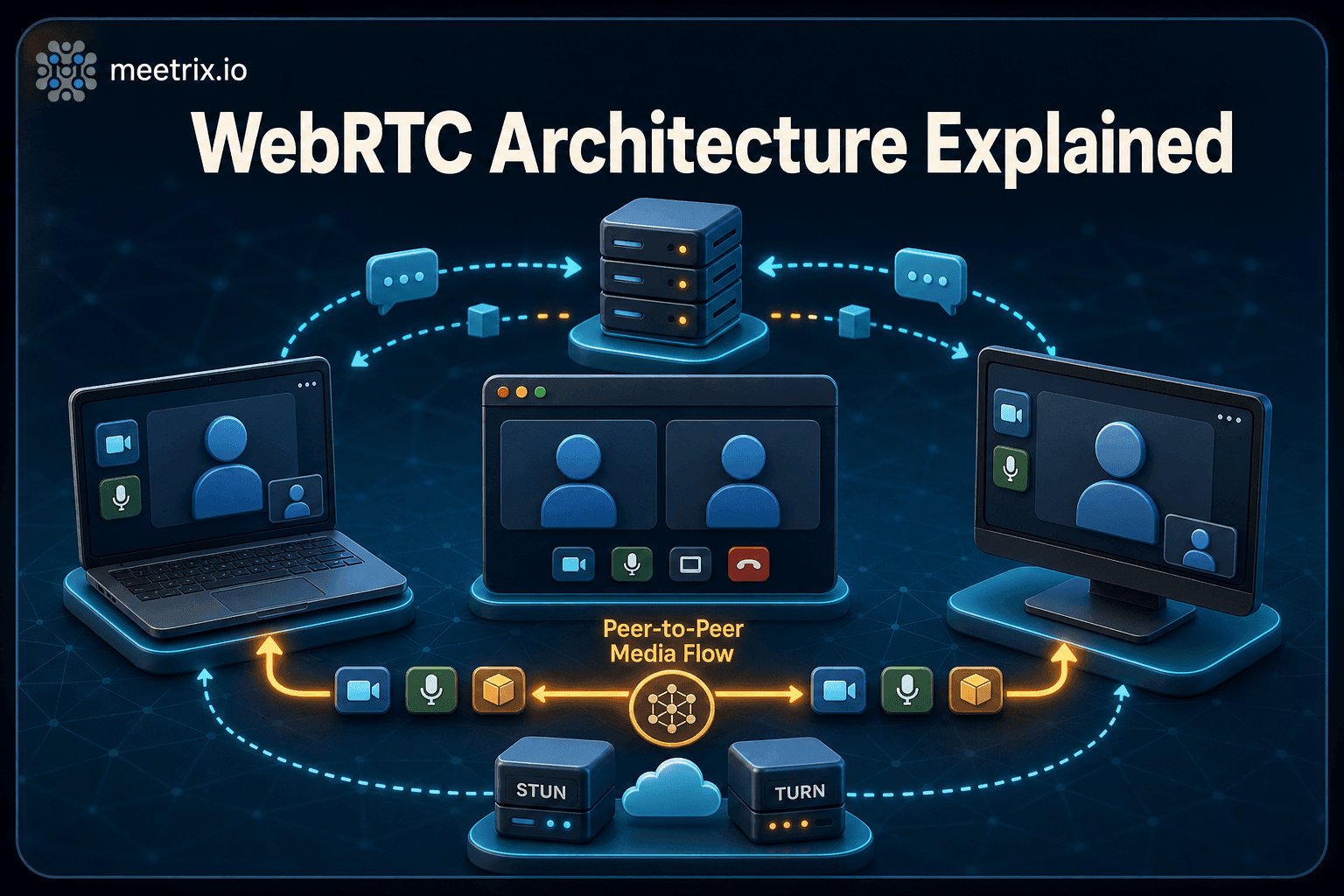
The AI features below are built on top of that transport layer, not part of it. A video conferencing app can run WebRTC with zero AI features, or bolt on as many as it wants, the two are independent.
The AI Features Riding on Top of WebRTC
Four features show up across most modern video conferencing tools, and they don't all work the same way:
| Feature | Where it runs | What it needs |
|---|---|---|
| Noise suppression | Browser (WebAssembly) | Nothing from the server |
| Background blur / replacement | Browser (WebAssembly) | Nothing from the server |
| Live captions | Browser or server, depends on the vendor | A speech model, local or hosted |
| Meeting transcription and summaries | Server-side | A transcription/LLM pipeline the audio is routed through |
Jitsi Meet is a good concrete example of the first two, both run entirely client-side. Its noise suppression toggle is built on RNNoise, a small model that filters out steady background noise like fans and keyboards, running as a WebAssembly audio worklet in the browser. Its background blur and replacement use a MediaPipe segmentation model, also compiled to WebAssembly, to separate you from your background without touching the server at all. We go into more detail on both, and where to find them in the UI, in our tour of Jitsi Meet's other hidden features.
Captions and transcription work differently because they need more compute than a browser tab reliably has. A common pattern for self-hosted Jitsi is routing the call's audio through Jigasi, a component that bridges Jitsi into SIP and speech services, to a transcription engine. Meetrix Transcribe is one example of running that pipeline yourself instead of sending meeting audio to a third party. On the SaaS side, tools like Otter.ai take a different approach entirely, we've reviewed how that one performs.
Browser-Side vs Server-Side: Why the Split Matters
This isn't just a technical detail. It decides what data leaves the call and what infrastructure you're on the hook for.
- Browser-side features (noise suppression, background blur) never send audio or video anywhere for that processing. The model runs on the viewer's device. Nothing to deploy, nothing extra to secure, and performance depends entirely on that person's hardware.
- Server-side features (transcription, AI summaries) require the audio to reach a model somewhere, whether that's a self-hosted pipeline you control or a third-party API. That's a real privacy and compliance question for anything client-facing or regulated, and it's extra infrastructure to run and patch if you self-host it.
What This Means When You're Choosing a Tool
A few practical questions worth asking before you commit to a video conferencing setup for a team:
- Does the noise suppression or background blur run locally, or does it route media through a vendor server you don't control?
- If you need transcription, where does that audio go, and can you point it at infrastructure you own instead of a SaaS default?
- Is the "AI" feature actually a model, or is it WebRTC's ordinary adaptive bitrate being marketed as intelligent? The two get conflated often, and only one of them involves any machine learning.
For teams running Jitsi Meet, the browser-side features (noise suppression, blur) come free with any current deployment, self-hosted or not. The server-side ones, transcription in particular, are the part worth deciding deliberately rather than defaulting to whatever a plugin ships with.
Frequently Asked Questions
Does WebRTC include AI features by default?
No. WebRTC handles the connection and media transport, peer connections, codecs, congestion control. Noise suppression, captions and transcription are added by the application built on top of WebRTC, not by WebRTC itself.
Is Jitsi Meet's noise suppression AI-based?
Yes. It's built on RNNoise and runs as a WebAssembly audio worklet in the browser. No server-side setup is needed, and it works the same way on meet.jit.si or a self-hosted deployment.
Do background blur and virtual backgrounds need a powerful server?
No. In Jitsi Meet the segmentation model runs client-side, in the browser, using WebAssembly with SIMD instructions. Performance depends on the viewer's device, not the server.
What's the difference between live captions and meeting transcription?
Captions render text on screen during the call. Transcription produces a saved, searchable record afterward. Some tools generate both from the same speech model; others treat them as separate features with separate setup.
Can I self-host AI meeting features instead of using a SaaS transcription tool?
Yes. Options range from a self-hosted transcription engine to routing a Jitsi call through Jigasi into a speech-to-text service you control, instead of sending audio to a third-party SaaS product.
Run Jitsi Meet With These Features Built In
Meetrix's pre-configured Jitsi Meet AMIs run on current stable packages, so browser-side features like noise suppression and background blur work immediately under your own domain, no extra setup required.
Browse Meetrix on AWS Marketplace