In our journey to host large virtual gatherings, we wanted to determine the Jitsi Meet limit for a single shard, assessing its performance under different scenarios. We focused on two distinct research approaches: one involved hosting a single conference to gauge its breaking point, while the other explored multiple conferences with a low participant count in each.
How we ran this test
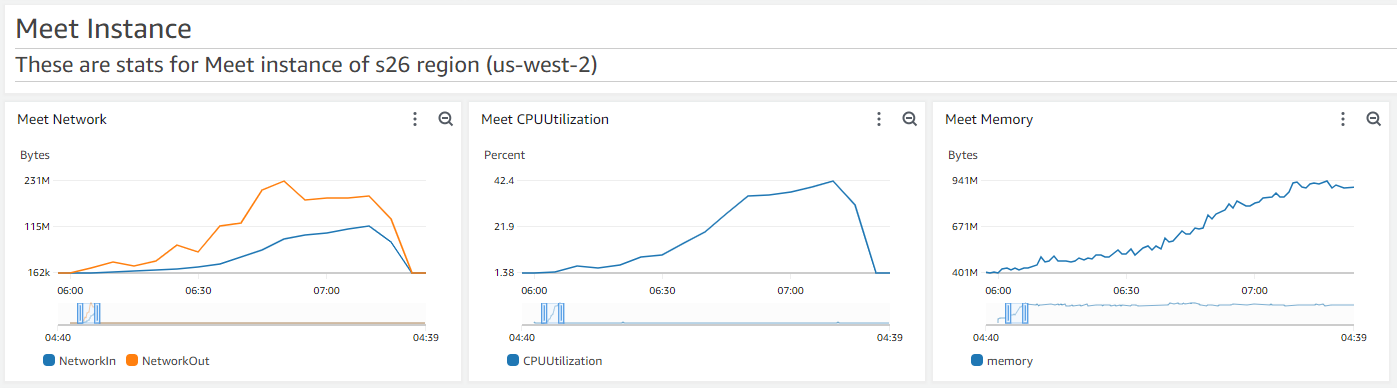
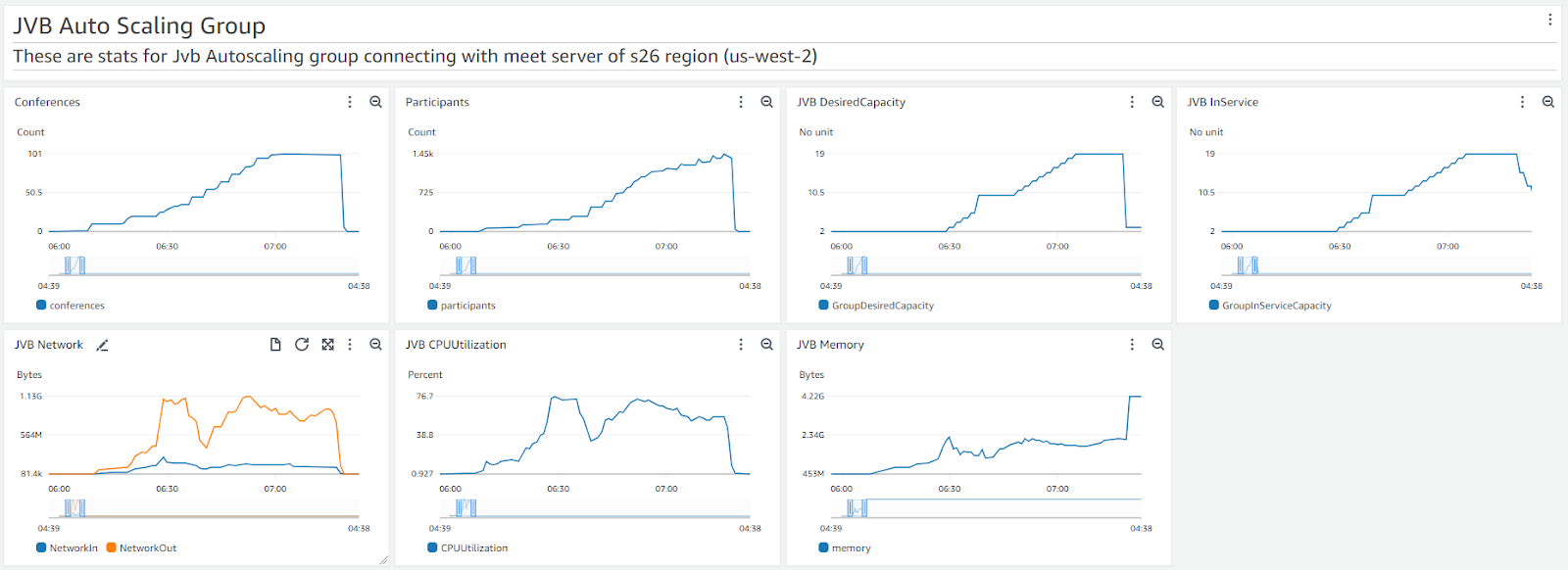
This is a real load test, not a projection. Meetrix deployed the actual AWS infrastructure described below and ran both scenarios with video-enabled bots against a live Jitsi Meet installation. The server sizes, phase-by-phase results, and screenshots further down are the direct output of that test.
What Is the Jitsi Meet User Limit?
Short answer: a single conference room comfortably holds 200-250 participants before the frontend starts to strain, but a single Jitsi shard (one Jicofo/Prosody pair plus its videobridge) can handle 1000-1400 users once you spread them across multiple concurrently running meetings instead of one giant room. The two approaches below walk through how we tested each scenario. For architecture background on why the videobridge - not the meet server - is the component that scales, see our breakdown of the Jitsi architecture.
Hosting a Single Conference
Setting up the Environment
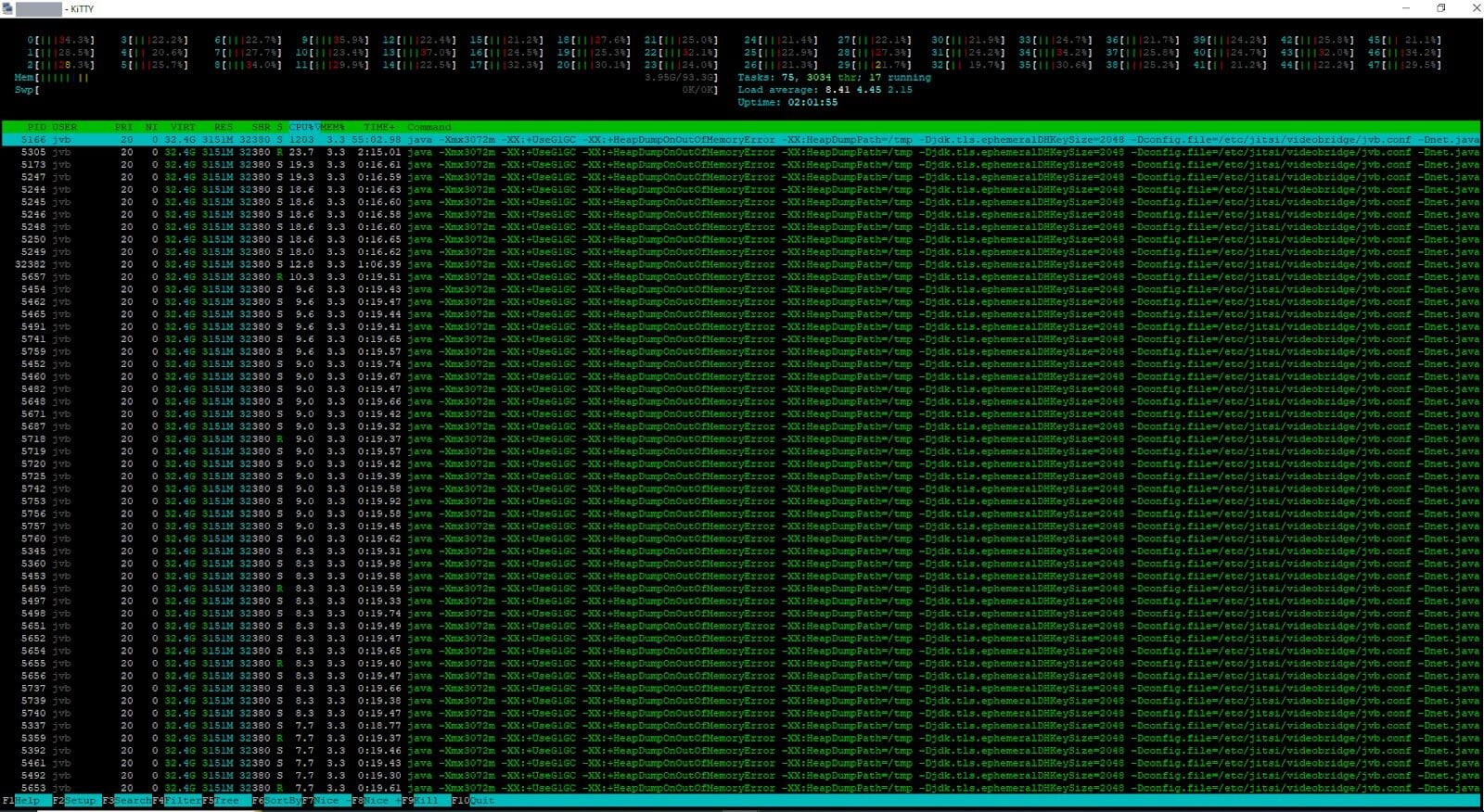
Our research commenced with the configuration of our AWS environment. We deployed two servers: one dedicated to Jitsi Meet, including Prosody and Jicofo, and the other allocated for the Jitsi Videobridge (JVB). For our initial testing phase, we opted for a c6a.large server, equipped with 2 vCPUs and 4GB of memory. Given Prosody's single-threaded nature, we selected a Compute Optimized server with just 2 cores to handle the task. To accommodate approximately 1000-1500 users, we used a c5a.12xlarge server boasting 48 vCPUs and 96GB of memory for JVB. After thorough server selection, we proceeded to install Jitsi Meet.
Simulating the Meeting:
At Meetrix, we leveraged our load-testing mechanism, using bots to replicate real meeting scenarios with video-enabled users. Our objective was to identify when the meeting would encounter issues. If you want to run a similar test yourself, Jitsi's own project maintains Jitsi Meet Torture, the official Selenium-based tool for load testing a Jitsi instance.
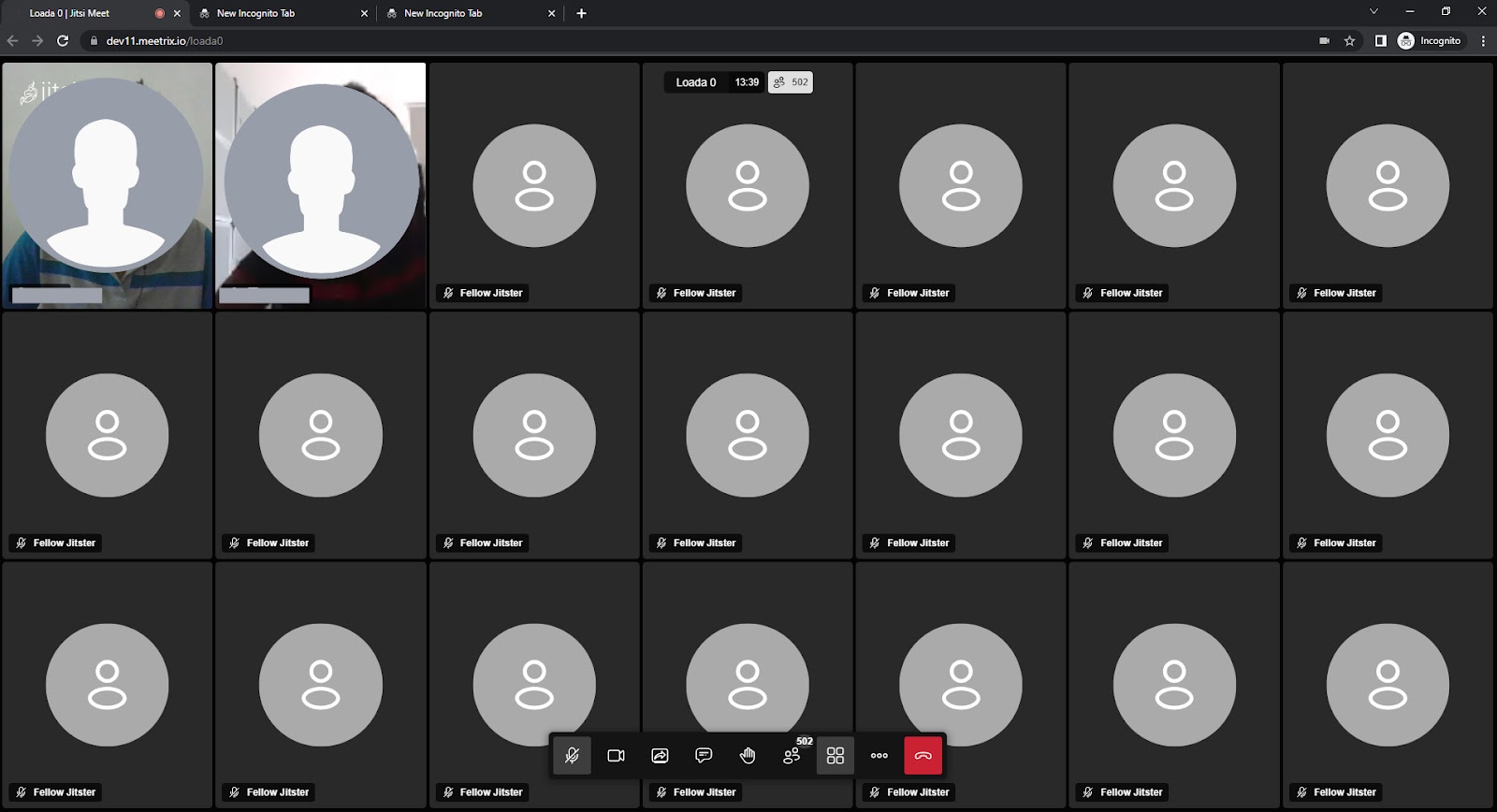
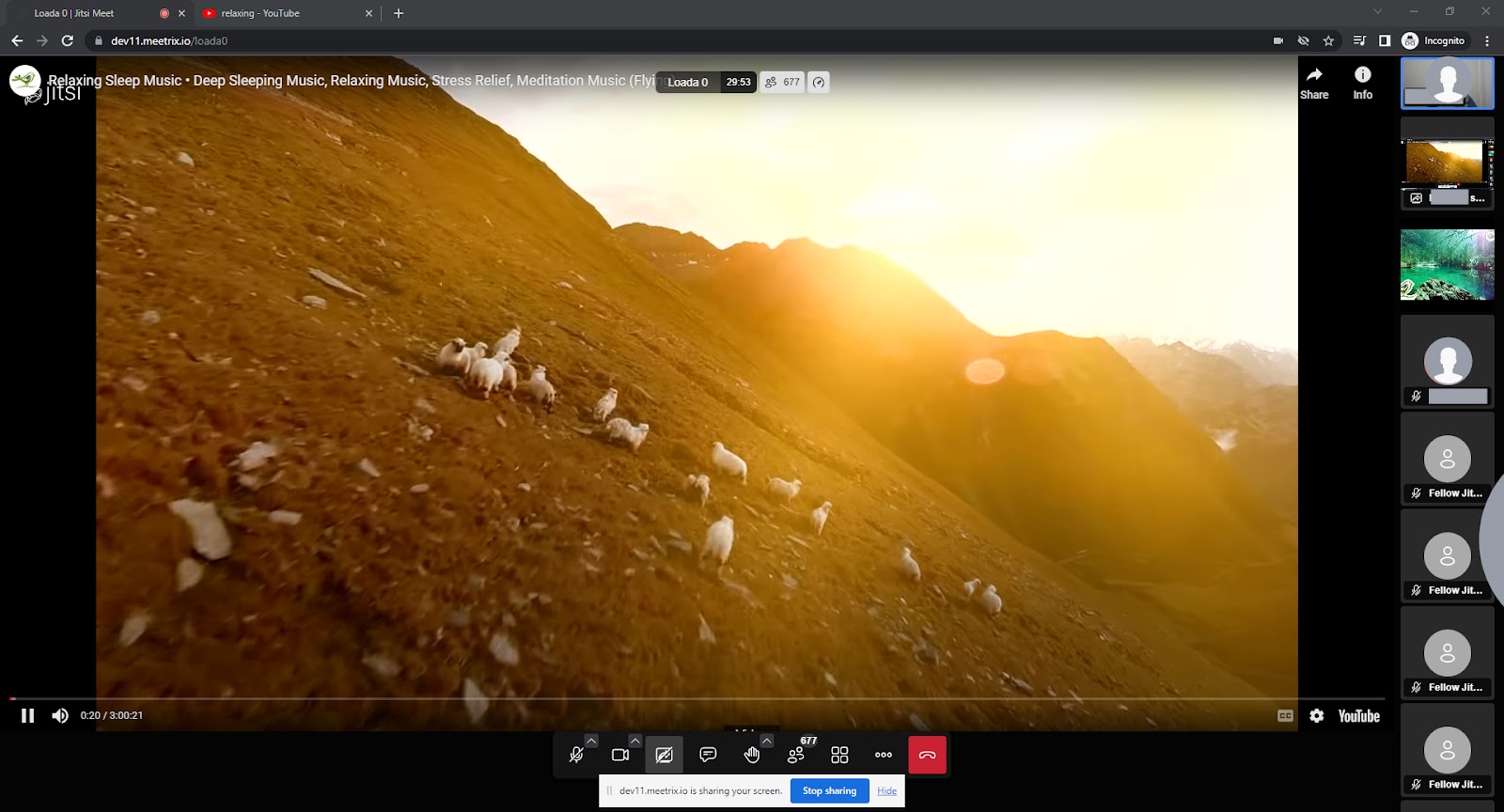
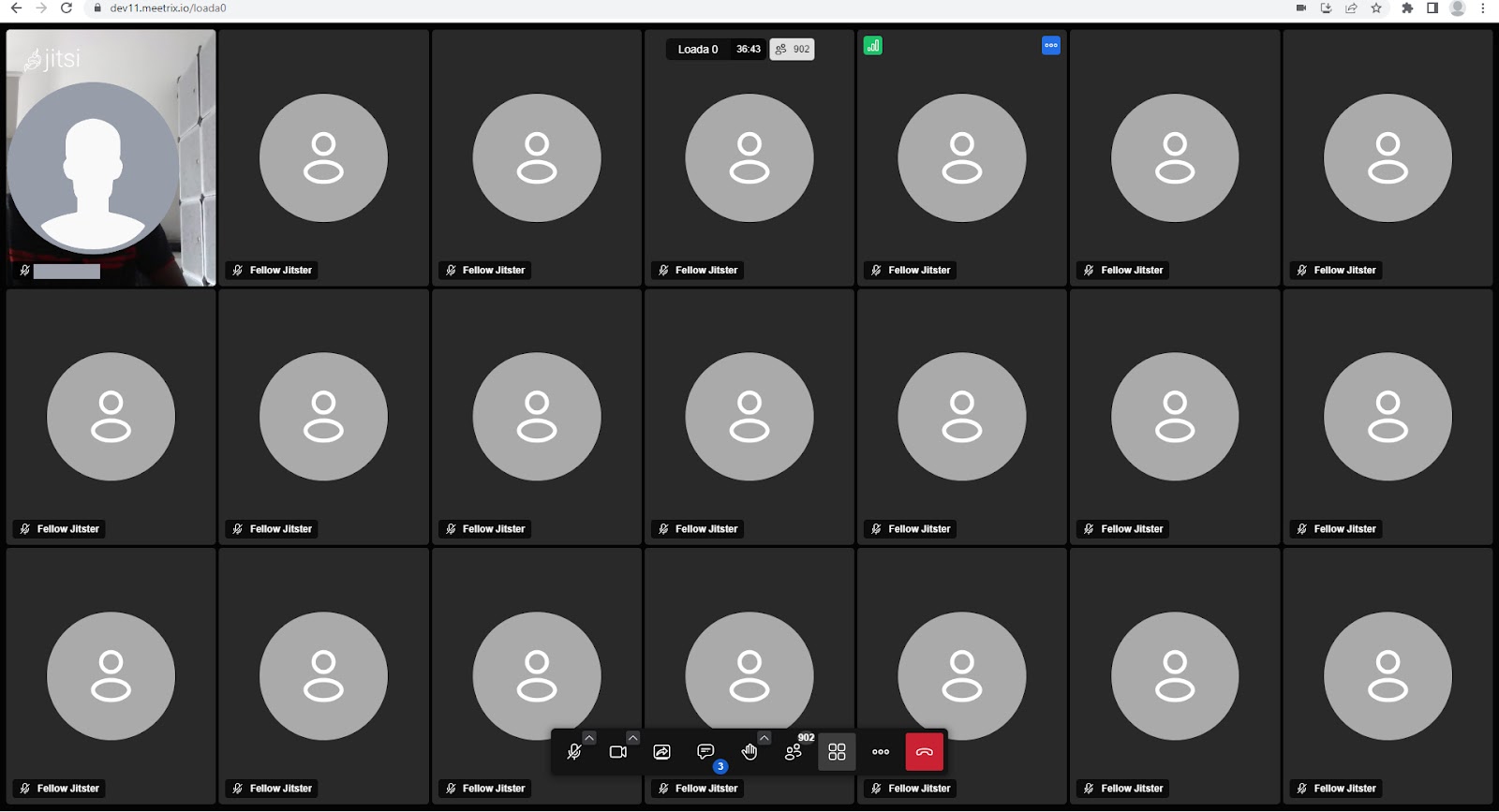
Upon setting up Jitsi Meet, we designated a dedicated meeting room (room name: load0) exclusively for this load test, populated with video-enabled bots.
Testing Phases
Phase 1: 250 participants. We incrementally added 50 bots at a time. No anomalies were found.
Phase 2: 500 participants. Stable functionality with minor UI delays.
Phase 3: 750 participants. The frontend showed signs of strain with occasional video disruptions.
Phase 4: 1000 participants. Increased resource utilization, noticeable lag in the frontend.
Phase 5: 1250 participants. Worsened frontend performance, lag and usability issues.
Conclusion - Approach 1
In summary, our tests indicate that a single conference in Jitsi Meet without any customizations can comfortably accommodate around 200-250 participants without encountering issues. It's important to note that the host machine's browser performance plays a pivotal role in determining this limit; superior browser performance may allow for more participants. Please note that if you have made any frontend customizations, it may affect meeting performance and stability, making it difficult to achieve these targets.
Most of the challenges encountered were associated with the frontend, as no substantial backend issues were recorded. This suggests that a single shard of Jitsi Meet can effectively manage up to 1000 participants, though the precise number may fluctuate depending on factors such as network conditions, vitrual hardware capabilities.
Hosting Multiple Conferences
Setting up the Environment
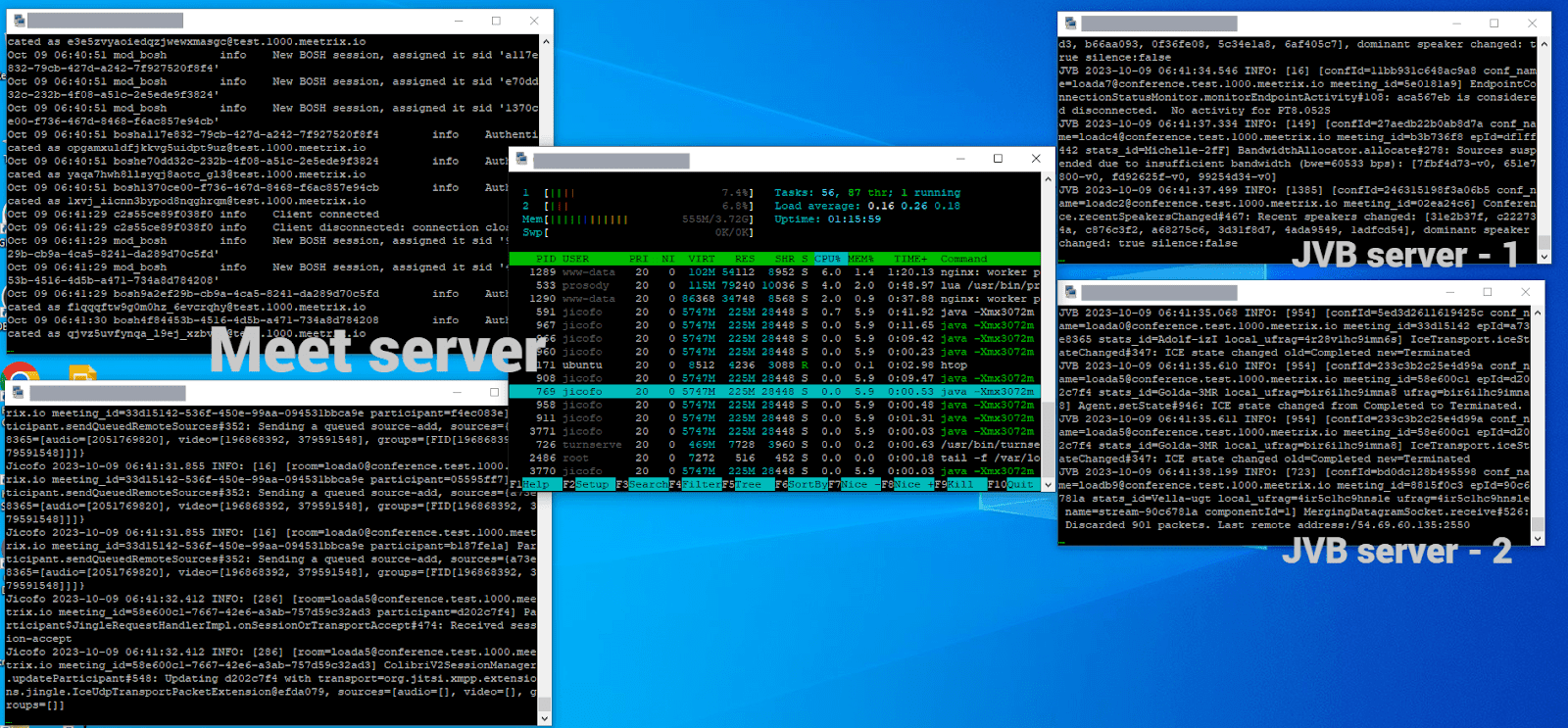
In our second approach, we employed Meetrix's terraform script for a rapid and low-overhead installation of a single shard setup. This setup consisted of a Jitsi Meet server (c6a.large), a Coturn server (t3a.micro), and a JVB autoscaling group (each utilizing c6a.xlarge). As mentioned in the previous approach, we continued choosing compute-optimized servers for both the meet server and JVB servers.
Simulating the Meeting:
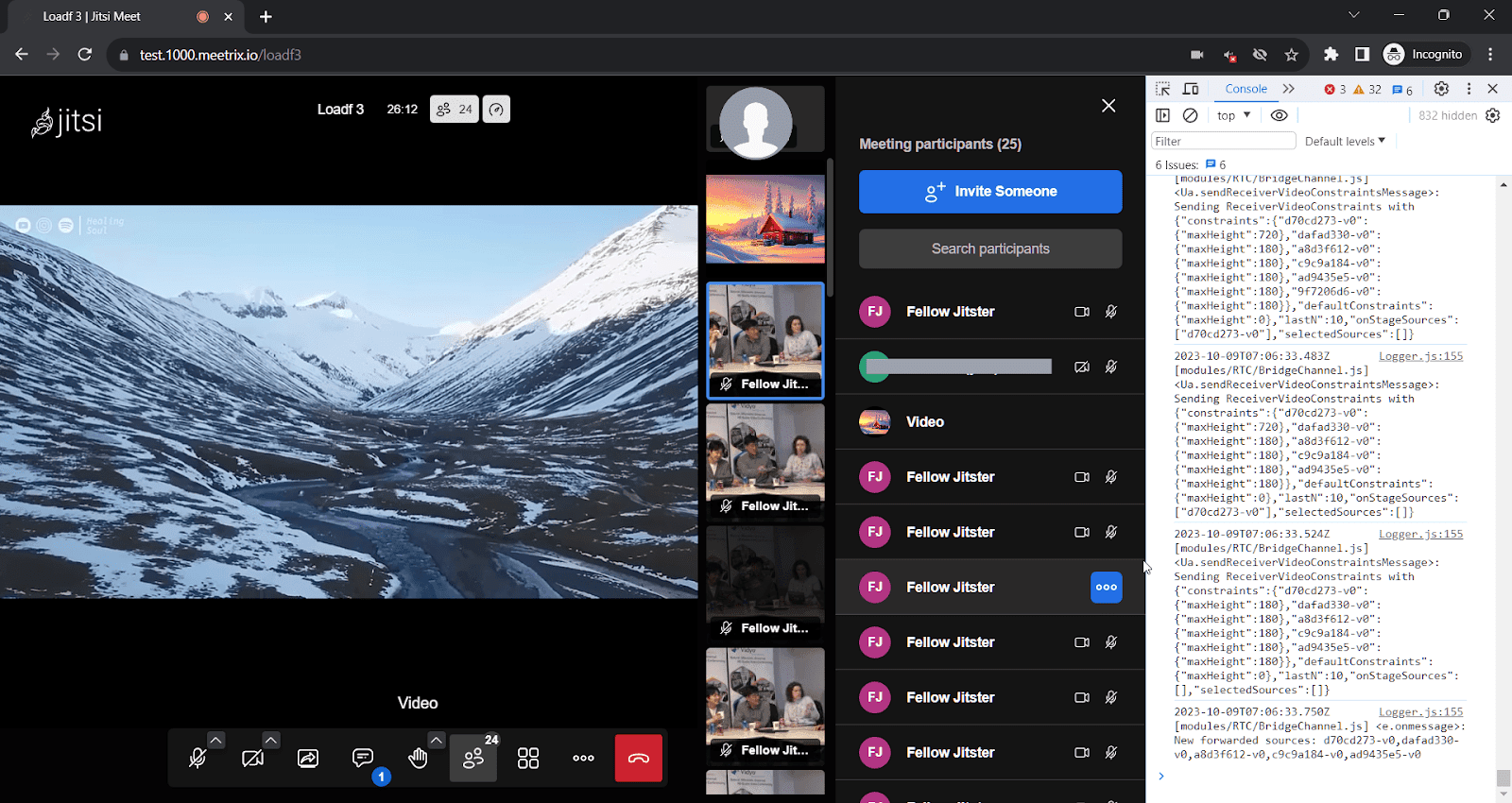
In this approach, our goal was to host 100 meetings, each with approximately 10 participants. This allowed us to ensure that a single shard could effectively handle 1000 users, even with a substantial number of concurrent meetings. We employed the same load testing mechanism as before, though with a slightly lower count of video-enabled bots (75%) compared to the previous approach (100%).
Testing Phases - Approach 2
Phase 1: 500 participants (50 meetings). No issues reported.
Phase 2: 1000 participants (100 meetings). Smooth operation without issues.
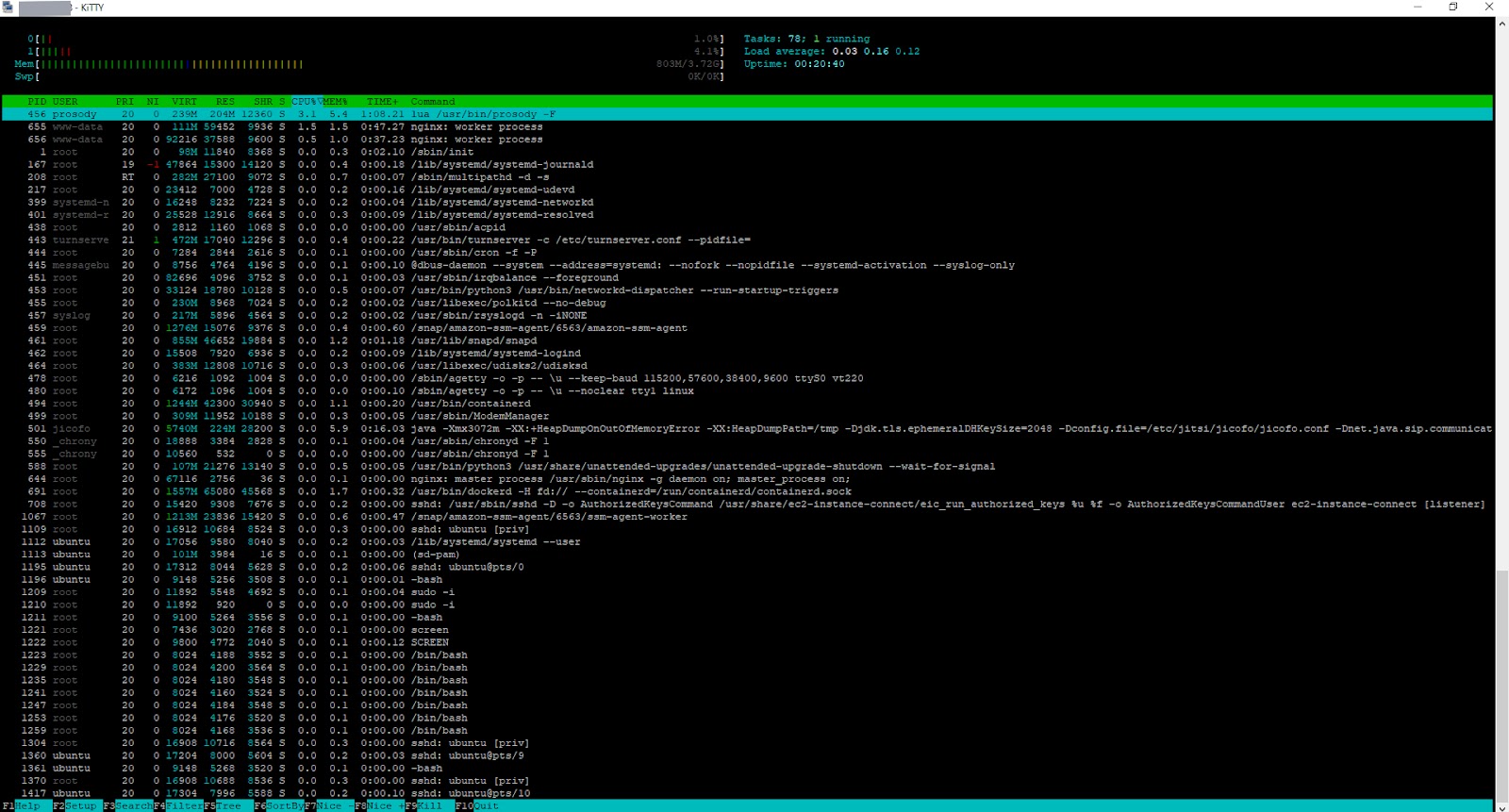
Phase 3: 1400 participants (100+ meetings). Stability achieved, Prosody at 20% CPU.
Conclusion - Approach 2
In summary, our tests demonstrate that a single shard of Jitsi Meet can effectively manage 1000 participants without encountering any issues. It is advisable to utilize a CPU-optimized server for Jitsi Meet to maximize performance.
As we continue to explore the boundaries of virtual meetings, Jitsi Meet remains a robust solution with the potential for even greater scalability in the future.
References:
Approach 1:
Approach 2:
Jitsi Meet Hardware and Bandwidth Requirements
The two approaches above used different server sizes because they stress different parts of the stack. The meet server (Prosody + Jicofo) is single-threaded on the signaling side, so it doesn't need many cores. The videobridge is where CPU and bandwidth actually get consumed, since it's forwarding every participant's audio/video stream to every other participant.
| Component | Server used | Why |
|---|---|---|
| Jitsi Meet (Prosody + Jicofo) | c6a.large (2 vCPU, 4GB) | Signaling only; Prosody is single-threaded |
| Videobridge (single-conference test) | c5a.12xlarge (48 vCPU, 96GB) | Forwarding up to 1500 video streams at once |
| Videobridge (multi-conference test) | c6a.xlarge autoscaling group | Load spread across 100+ smaller conferences |
| Coturn | t3a.micro | Only needed for the small share of users behind restrictive NAT/firewalls |
Bandwidth requirements scale roughly with concurrent video streams, not raw participant count - a bridge serving 100 small 10-person meetings moves less data per participant than one holding 1000 people in a single room, because each client only downloads video from the people in its own meeting. If you need to go beyond what a single videobridge can handle, Jicofo can spread one conference across multiple bridge instances; see our guide to scaling Jitsi videobridges with Octo on Kubernetes.
Does Jitsi Meet Have a Low-Bandwidth Mode?
There's no single "low bandwidth mode" switch in Jitsi Meet. Instead, the client adapts automatically: it sends video in multiple simulcast quality layers so the videobridge can forward a lower layer to participants on weaker connections, and the optional channelLastN setting in config.js caps how many other participants' video streams a client receives at once, which is the main lever for keeping large meetings usable on constrained connections. Our load tests above stressed server capacity rather than individual client bandwidth, so if your bottleneck is a specific user's connection rather than the room size, channelLastN is the setting to tune first.
Frequently Asked Questions
What is the Jitsi Meet limit for a single conference?
Our tests indicate that a single Jitsi conference can comfortably accommodate around 200-250 participants without encountering major issues, although this depends on browser performance and customizations.
Can Jitsi handle 1000 concurrent users?
Yes, Jitsi can handle 1000 concurrent users, but it is more effective to distribute them across multiple conferences (or multiple Jitsi instances) rather than in a single meeting room.
What are the main bottlenecks when scaling up users?
The main challenges are related to the front-end (browser performance) rather than the back-end. Issues include increased latency, video disruptions, and UI sluggishness.
What are the hardware and bandwidth requirements for Jitsi Meet at scale?
For our 1000-1500 user tests, the Jitsi Videobridge server needed roughly 48 vCPUs and 96GB of memory (c5a.12xlarge). Bandwidth requirements scale with concurrent video streams, which is why the videobridge, not the meet server, is the resource-hungry component.
Does Jitsi Meet have a low-bandwidth mode?
Not as a single toggle. Jitsi Meet automatically adapts to constrained connections through simulcast (sending multiple video quality layers) and the optional channelLastN setting, which limits how many participants' video streams a client receives at once.
What tool can I use to load test Jitsi Meet myself?
Jitsi's official project maintains Jitsi Meet Torture, a Selenium-based tool that simulates concurrent users joining a real Jitsi instance. Like our own bot-based testing, it works by joining real meetings with automated, video-enabled clients rather than simulating load synthetically.
Related Articles


Need help optimizing your Jitsi infrastructure?
If you need support scaling Jitsi Meet or assistance with managing over 1000 users on Jitsi, our team is available for commercial Jitsi support. We specialize in optimizing Jitsi Meet environments for large virtual events and can help with performance tuning, custom configurations, and scalability enhancements. Do not hesitate to contact us for expert advice to achieve optimal performance for your setup.
Contact Meetrix